
Comparison
Email templates that work in any email tool
Built-in templates in tools like Mailchimp only work inside that tool. If you switch providers, send from your own app, or want emails that don't break in Outlook, you need portable, bulletproof HTML.
The short answer
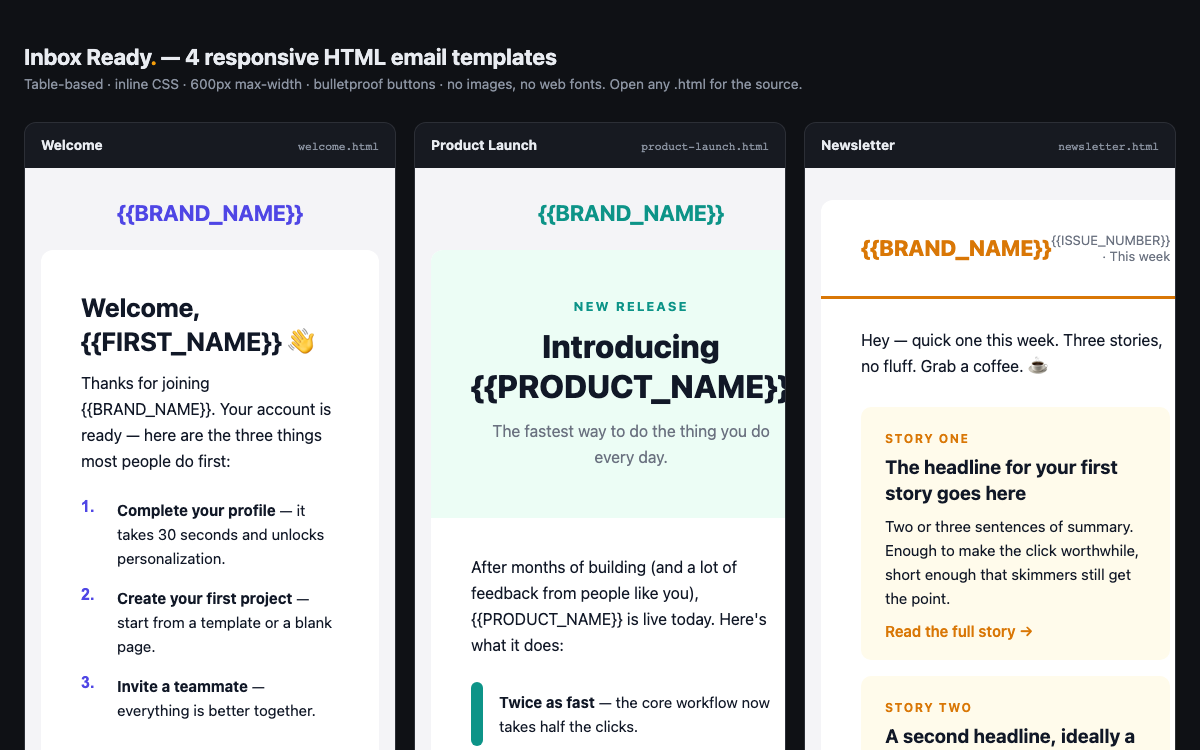
The alternative to platform-locked email templates is portable HTML email: table-based layout, inline CSS, and no external images or fonts, so it renders in Gmail, Outlook, and Apple Mail and pastes into any sender. Platform templates are easier to drag and drop; portable HTML works everywhere, including transactional email from your own app.
How they compare
| DigitalItUp | Platform email templates | |
|---|---|---|
| Works in | Any email tool or your own app | That platform only |
| Outlook rendering | Table-based, bulletproof buttons | Varies |
| External images | None needed | Often required |
| Editing | HTML | Drag-and-drop |
| Cost | One-time | Part of the platform plan |
When Platform email templates is the better choice
Platform templates are better if you only ever send from that one tool and want drag-and-drop editing. Use portable HTML when you send transactional email from your app or might switch providers.
Frequently asked questions
Which emails are included?+
Four: welcome/onboarding, newsletter, promo/sale, and receipt.
Will they break in Outlook?+
They're built for it: table layout, inline CSS, bulletproof buttons, and system fonts.
Can I use them with Resend, SendGrid, or Mailchimp?+
Yes - paste the HTML into any sender that accepts custom HTML.
Browse the full website template collection or templates by industry.